
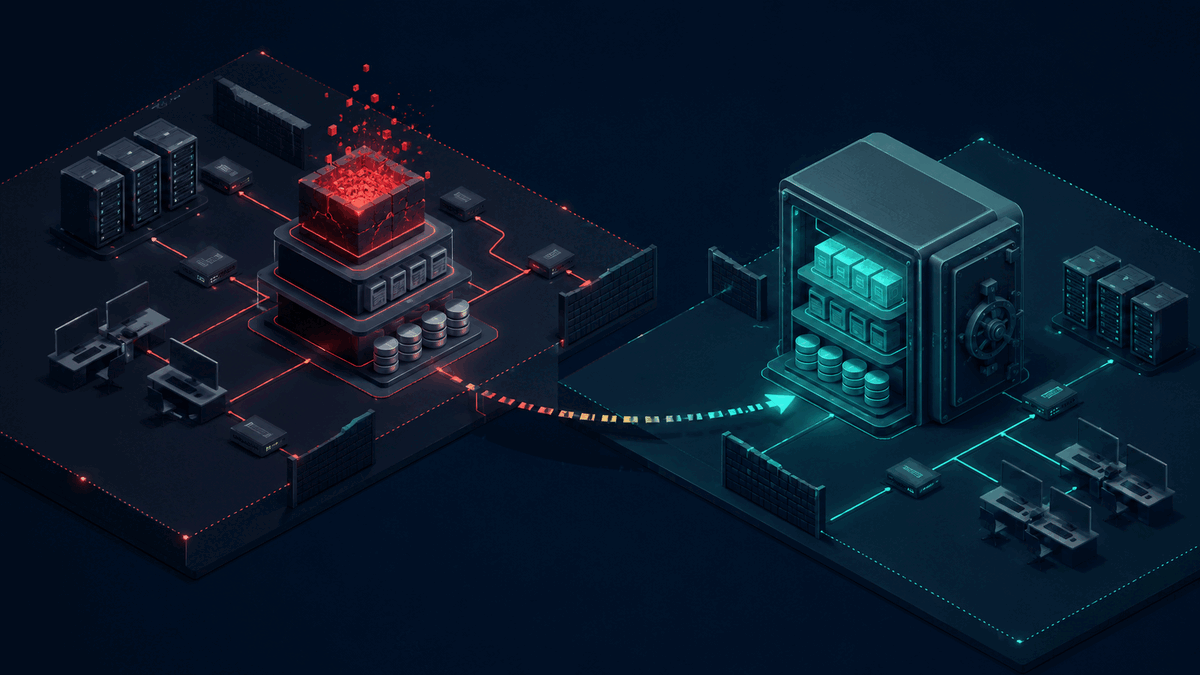
Gunra operators deleted backup and archived data at both a victim's primary data centre and disaster recovery centre, according to a joint advisory released on August 10. Sophos puts the average cost of recovering from ransomware at $1.7 million. If your second copy uses the same network and administrator access as production, it may not be a second line of defence at all.
That is the uncomfortable lesson in the new Gunra ransomware advisory from CISA, the FBI, and their international partners. The attackers did not just encrypt working files. They stole data, interfered with authentication, and targeted the systems meant to bring the victim back.
Most businesses still discuss ransomware as a prevention problem. Buy protection, patch systems, train staff, and hope nothing gets through. Those steps matter, but the idea that prevention can be perfect is a bad take. Recovery needs its own budget and a test that ends with a working application, not a green tick beside “backup completed.”
A Backup Is Not a Recovery Plan
A backup is a copy of data. A recovery plan explains how the business will use that copy to restore the services people depend on.
The distinction sounds small until payroll, order processing, or the customer portal stops working. Restoring a database is not enough if the application code is missing, identity systems are unavailable, encryption keys cannot be reached, or nobody knows which version should come back first.
CISA recommends offline, immutable backups in a physically separate and segmented location. “Immutable” means the backup cannot be changed or deleted during its retention period. “Segmented” means an attacker who reaches the production network does not automatically reach the recovery copy.
That last part is where many plans fail. A company buys a second storage service, then connects it to the same identity provider with the same privileged accounts. It feels redundant. It is still one security boundary.
Start With the Cost of Being Offline
Security budgets often begin with a list of tools. We think they should begin with a list of business services and the cost of losing each one.
Imagine a distributor that processes 800 orders a day with an average contribution margin of $18 per order. A full day without order processing puts $14,400 of contribution at risk before overtime, missed service levels, or customer churn enter the calculation.
The exact number will differ. The exercise is still valuable because it turns “recover quickly” into a decision.
For each critical service, set two targets:
- Recovery time objective, or RTO. This is the longest acceptable time before the service works again.
- Recovery point objective, or RPO. This is the maximum amount of recent data the business can afford to lose.
A payment ledger may need a 30 minute RPO because recreating transactions is painful. A monthly reporting archive may tolerate 24 hours. Treating both the same wastes money on one and creates risk on the other.
Build a Recovery Path the Attacker Cannot Reuse
The Gunra advisory describes affiliates exploiting known vulnerabilities in internet-facing Fortinet devices. It also documents altered authentication files, stolen credentials, and deletion of backups. This matters because recovery cannot depend on the identity and network layers that may already be compromised.
A practical design separates four things:
Backup credentials
The account that writes backups should not be able to delete them. Recovery administrators should use separate credentials that are not used for daily production work.
Backup storage
Keep at least one protected copy outside the production security boundary. Cloud object-lock features can prevent deletion for a fixed period. An offline copy can provide another route for the most critical data.
Recovery environment
Document where clean systems will run if production cannot be trusted. For some companies that is an isolated cloud account. For others it is a small standby environment that expands only during an incident.
Recovery instructions
Write the order of operations. Identity may need to return before internal applications. The database may need to return before the API, and the API before the customer-facing product. Store these instructions somewhere the team can access without the normal network.
This is less glamorous than buying another security dashboard. It is also much closer to the moment when revenue starts moving again.
Test a Business Transaction, Not Just a File Restore
The strongest recovery plans are tested against a real business outcome.
Pick one critical workflow. Restore it into an isolated environment, then complete a transaction from beginning to end. Can a user sign in? Can an order be submitted? Does the payment record reconcile? Can the operations team see the result?
Record the elapsed time and every manual dependency. If the target is four hours and the test takes eleven, the gap is now visible. Maybe the data transfer is slow. Maybe a vendor has to issue a licence. Maybe one engineer has a key nobody else can access.
CISA's small-business backup guidance says teams should test full and partial restores and retain the ability to roll data back by at least seven days. A dashboard that reports successful copies does not prove either capability.
Run the test after major architecture changes and at least twice a year for critical systems. High-risk businesses may need it quarterly. The frequency should follow the cost of failure, not a generic compliance calendar.
What Should Be Automated
There is useful work for automation here, but not every decision belongs to software.
Automate backup verification, retention checks, restore-environment setup, and alerts when a protected copy becomes reachable from the wrong network. Infrastructure-as-code tools such as Terraform can rebuild approved cloud resources from reviewed definitions instead of relying on improvised console clicks during a crisis.
AI can help compare recovery logs, summarise failed tests, and flag missing dependencies across runbooks. It should not decide whether a compromised system is safe to reconnect or whether customers need a breach notification. Those decisions require security, legal, and business owners with clear authority.
When a Custom Build Is Worth It
Most small companies do not need custom backup software. Established backup products are cheaper to buy and have years of recovery engineering behind them.
Custom work becomes useful around the gaps between systems. A SaaS company may need one recovery workflow spanning AWS, Stripe, Auth0, PostgreSQL, and an internal admin product. A manufacturer may need to restore ERP data before warehouse devices can resume. A lender may need evidence that each restored service passed a control check before customer access returns.
Those orchestration steps are specific to how the business operates. Off-the-shelf tools rarely understand the complete transaction.
The limitation is important. No recovery design guarantees a return in hours. Large data sets take time to transfer, third-party outages can block restoration, and attackers may have been present longer than expected. A credible plan sets measured targets and exposes dependencies. It does not promise magic.
The First Test Is Smaller Than You Think
Choose one revenue-critical workflow and ask the team to restore it without using the production network or everyday administrator accounts. Time the exercise. Write down what failed.
That single test will tell you more than a slide deck full of backup percentages.
At Axentia, we build the software, cloud workflows, and internal tools that connect recovery plans to the way a business actually runs. If you want to test one critical workflow or design a recovery path around your existing stack, book a call with us.